
IDentifiers are essential for activating content on Podcatchers. By holding the device close to the IDentifier, visitors can access the associated content. Adding an IDentifier to a stop links it to the content, with the first stop of each tour acting as the start of the tour and requiring an IDentifier for each language.
Note: Any IDentifier used to start a tour and select a language can be present only once on your site. Otherwise, Podcatchers and PWA wouldn’t know which tour and language to start with. Other IDentifiersmay be used once per tour, but can be used just fine in multiple tours as a non-language IDentifier.
1. Adding IDentifiers for the tour languages
To add an IDentifier to start the tour in a language, click on the first stop and open the Stop Settings.
Save the settings by clicking the Save button.
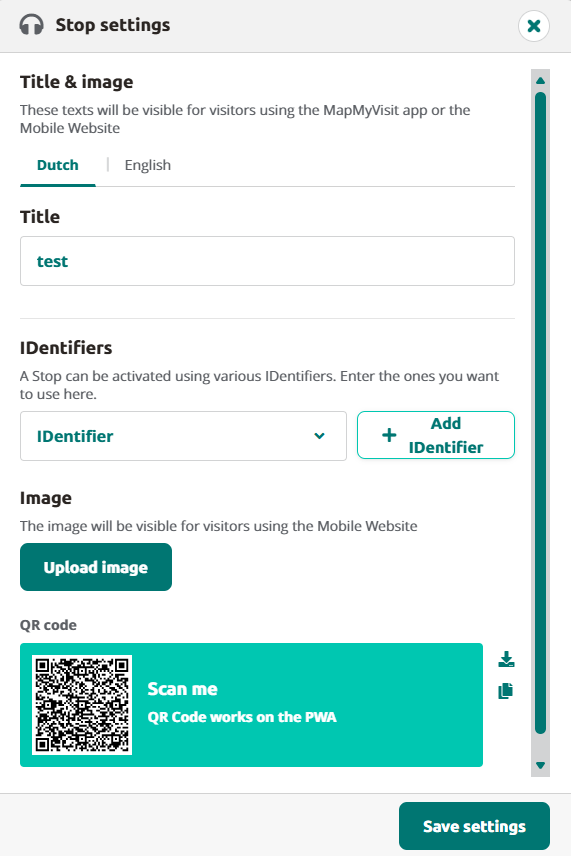
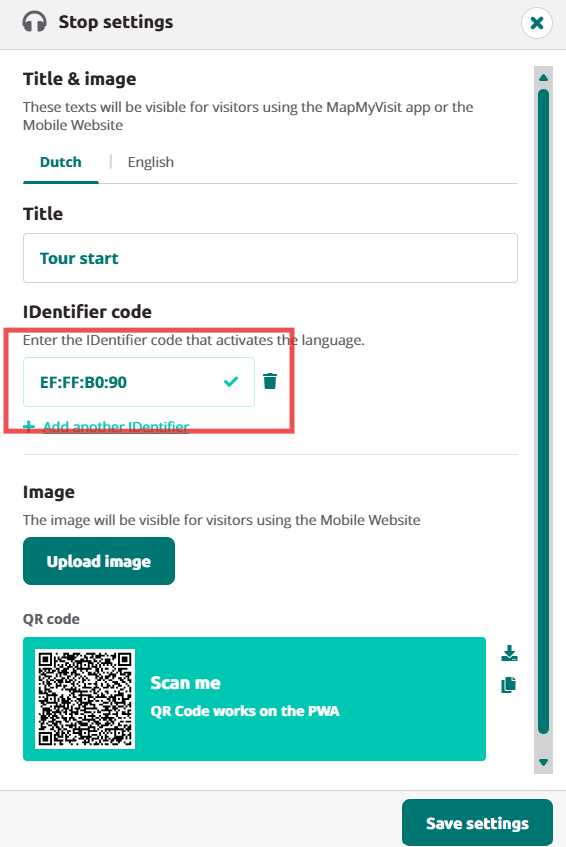
The IDentifier code can be found on the back of the IDentifier
2. Adding IDentifiers for other stops
Adding IDentifiers to other stops is just as simple. Click the stop, open Stop Settings, and add an IDentifier by clicking the Add IDentifier button and entering the IDentifier code.
Note: Other language settings do not apply to IDentifiers here. They do, however, apply to the title of the stop.
3. Adding IDentifiers for an AV-sync stop
When creating an AV-sync stop simply click on +Add stop, give the stop a title and select Audiovisual Sync Tour Stop.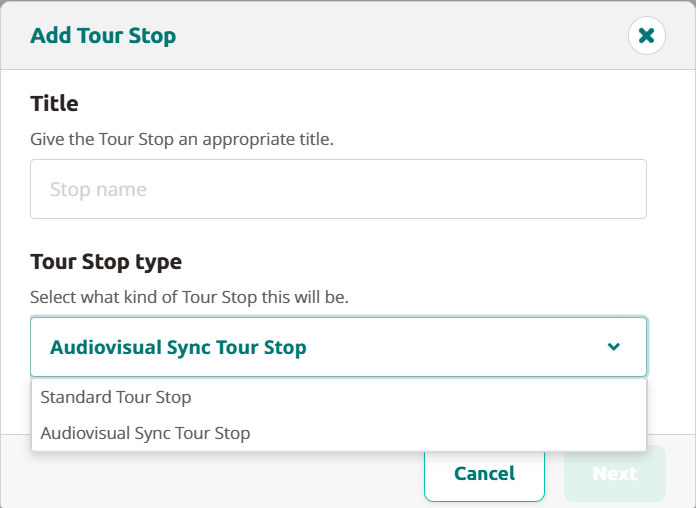
When clicking on Next a pop-up will show with information on the AV-synctool.
After this you’ll be redirected to the stop, where you can add the audiofile created from the AV-sycntool.
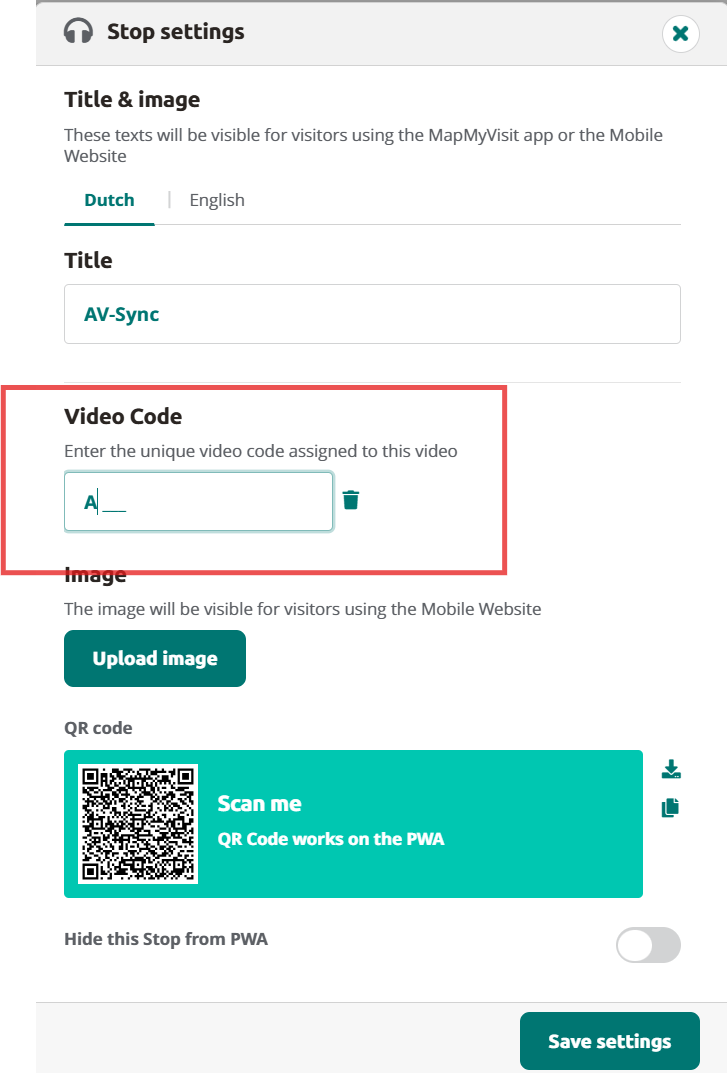
Click on stop settings to add the code you used in the AV-synctool and click on Save settings.
Set up the Brainbox as instructed in the Brainbox manual.
4. Hardware overview
The Hardware tab provides a quick overview of the battery levels in your IDentifiers.
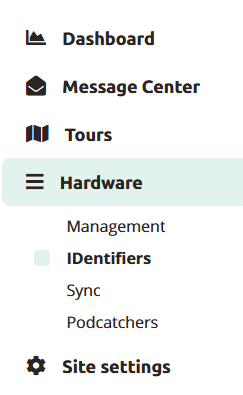
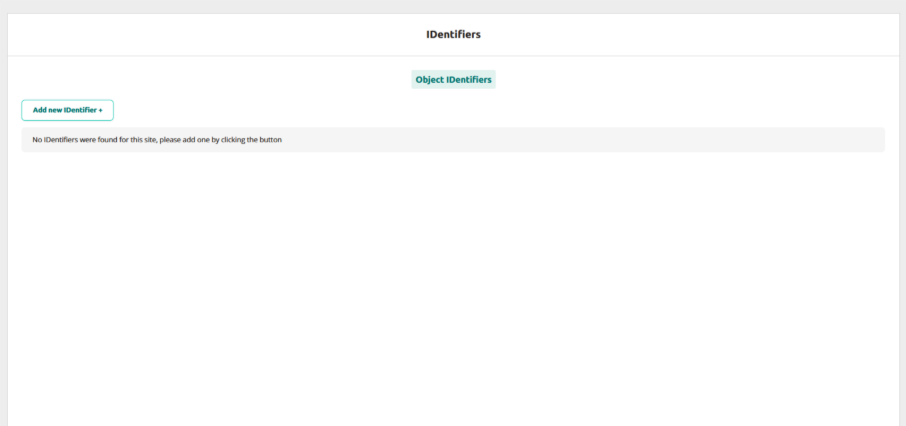
New IDentifiers can also be added using the Add new IDentifier button. You can add multiple IDentifiers at once, or save the IDentifiers and close the popup with the buttons.
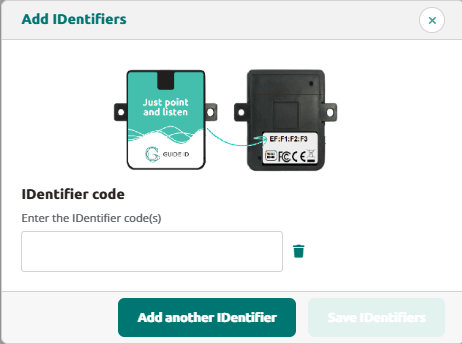
Lastly, you have the option to link the IDentifier to a stop as the final step, although it is not required.
By following these simple steps, you can simply add and manage IDentifiers for your tours. Do not forget to publish the tour and synchronise the Podcatchers.
 English
  Nederlands
  Français