Publishing a tour means making the latest version of your tour available to visitors.
Any change made so far is only visible in the tour builder, but not yet on the Podcatcher or other devices.
There are three publishing “states” a tour can be in:
- Tour has never been published: The tour has not yet been made available.
- Tour is unpublished: The tour was published before but is currently not accessible to visitors.
- Published and up to date: The current content is live and matches what visitors receive.
- Tour has changed since it was last published: The tour has been modified since the last publish — republish to push the changes.
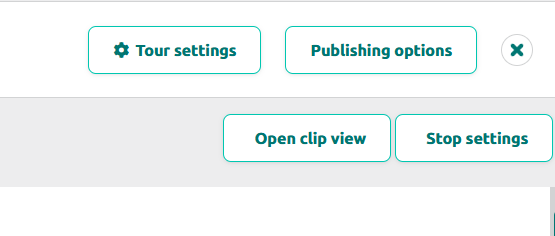
Once you’re happy with your tour, go publish it. Go to the tour and select the Publishing Options button at the top-right of thetour page.
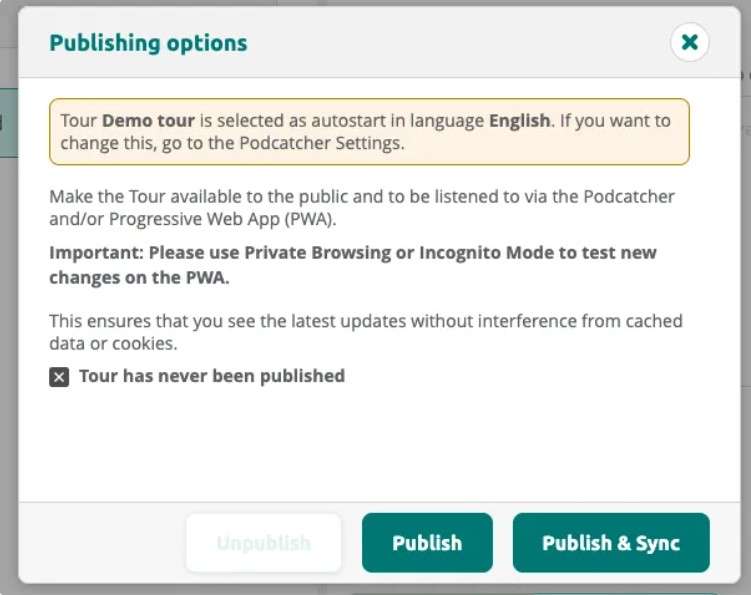
Clicking the button will bring up a dialog where any missing content is listed, as well as allowing you to see what has changed since the last time you published.
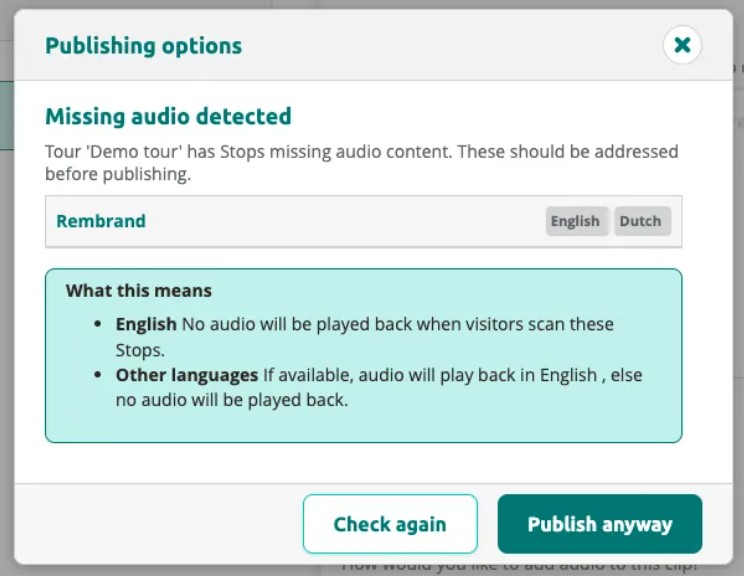
If the tour has stops with missing audio, the dialog warns you before publishing. You can choose to fix the issues or publish anyway.
Click Publish or Publish & Sync to start publishing. The dialog shows a QR code you can use to test the tour on the PWA.
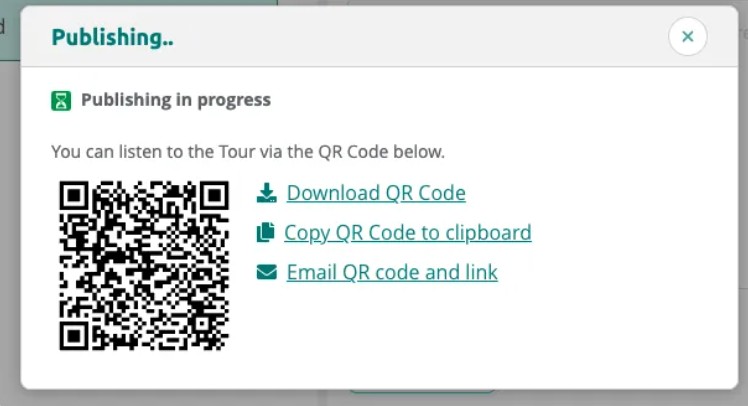
Once publishing is complete, the status changes to Published and up to date.
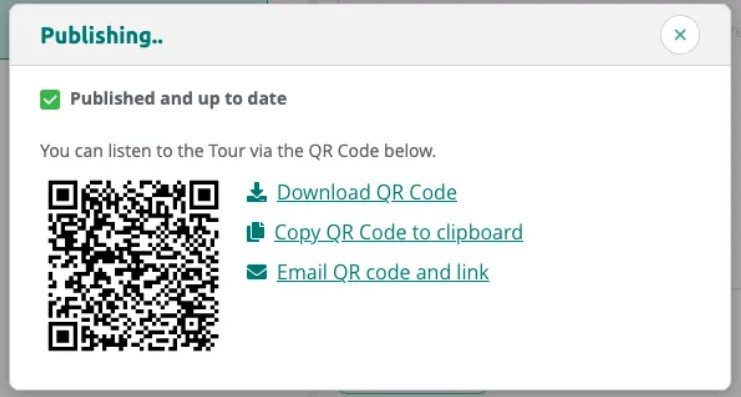
Viewing Tour Status
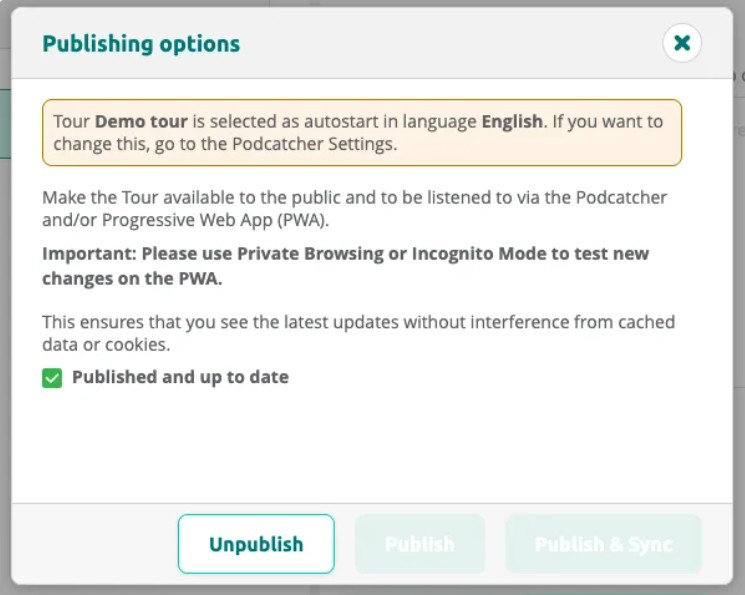
After publishing, the dialog confirms the tour is up to date. You can unpublish the tour at any time to make it unavailable to visitors.
In the My Tours list you can easily see the status of each tour.
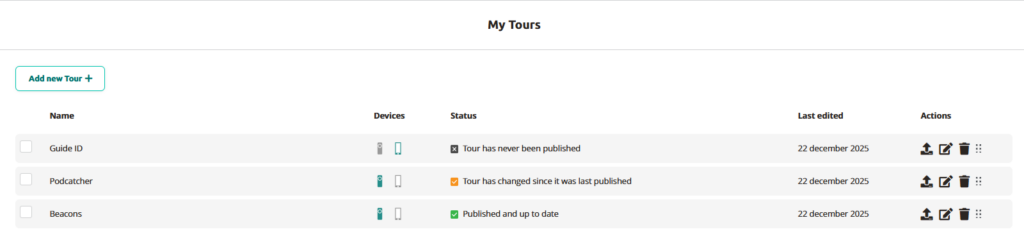
To publish the tour in My tours, simply click on the icon with the arrow facing up.
 English
  Nederlands
  Français