
Synchronisatie van de Podcatchers is het proces van bijwerken met de laatst gepubliceerde inhoud en het ophalen van Analytics-gegevens en diagnostiek van de Podcatcher.
De Sync-pagina toont alle Sync-apparaten die op de site zijn geregistreerd.
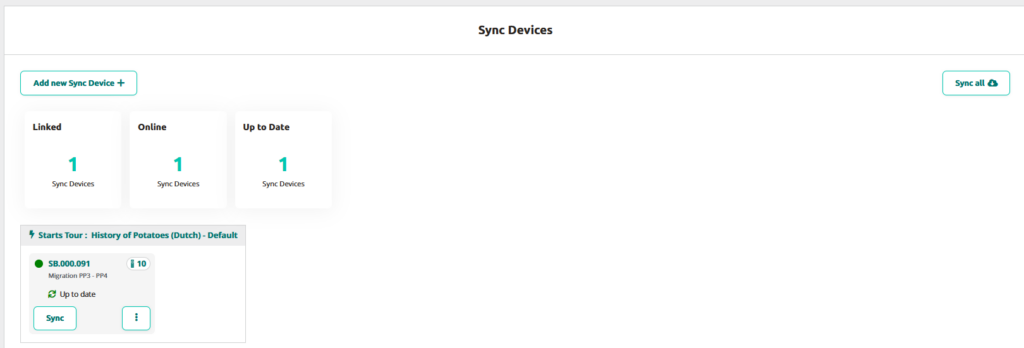
Nieuw synchronisatieapparaat toevoegen +
Met deze knop kun je één of meerdere Sync Devices toevoegen. Ga voor meer informatie over het toevoegen van Sync Devices naar Syncbox handleiding of Syncconsole-installatie.
Alles synchroniseren
Met deze knop kun je de synchronisatie gelijktijdig starten voor de toegevoegde Sync-apparaten.
Gekoppeld
Het aantal Sync-apparaten gekoppeld/geregistreerd op deze Site
Online
Het aantal Sync-apparaten dat online is
Actueel
Het aantal Sync-apparaten met de nieuwste inhoud
Instellingen synchroniseren apparaat
Als je op het menu Kebab klikt, verschijnen er twee opties: instellingen en verwijderen.
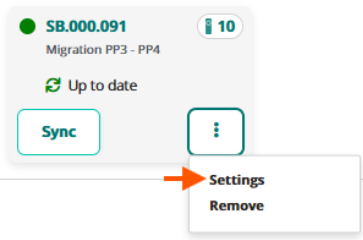
Om het Sync Device van het Platform te verwijderen, klik je gewoon op verwijderen.
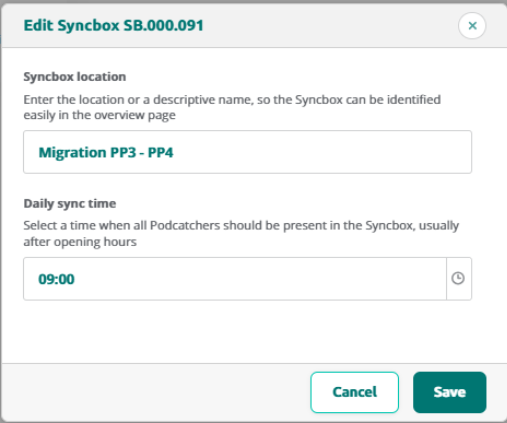
Als je op instellingen klikt, kun je de locatie van het synchronisatieapparaat of de dagelijkse synchronisatietijd bewerken.
Gedetailleerd overzicht synchronisatieapparaat
Als u op Apparaat synchroniseren klikt, wordt de detailpagina voor het synchroniseren weergegeven en wordt de informatie in verschillende segmenten weergegeven.
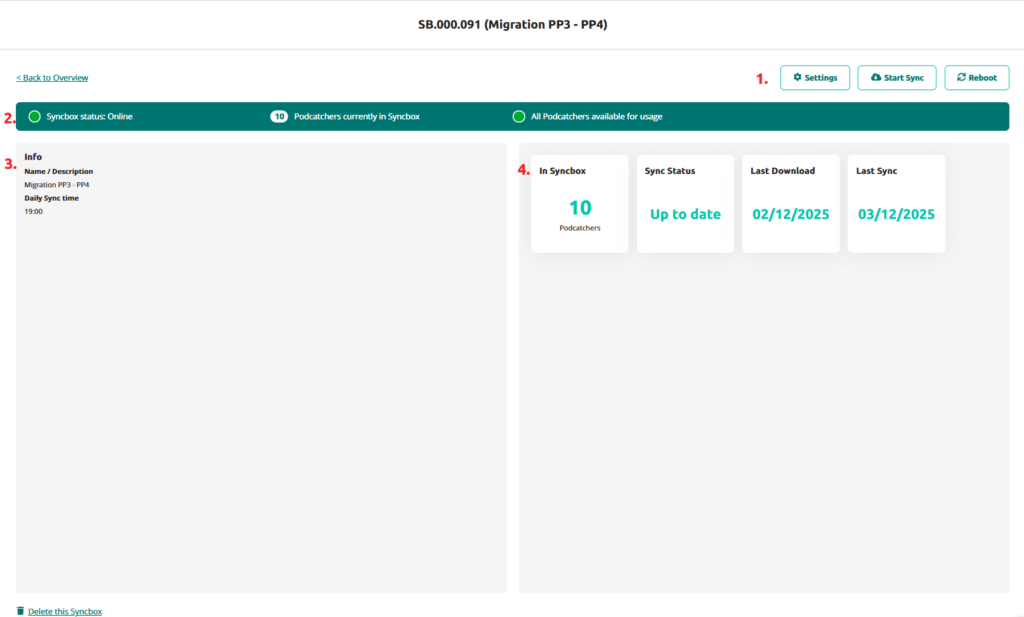
In dit overzicht zie je:
1. Instellingen
Instellingen
Hier kun je de locatienaam en synchronisatietijd bewerken
Synchronisatie starten
Handmatig de synchronisatie starten voor dat Sync-apparaat
Herstart
Synchronisatieapparaat herstarten
2. Overzicht lijsten
- Offline/Online-status van het synchronisatieapparaat
- Hoeveel Podcatchers zijn er momenteel in het Sync-apparaat?
- Als alle Podcatchers klaar zijn voor gebruik
3. Info blok
Het Sync Device Info blok toont de naam die je hebt opgegeven voor het Sync Device en de dagelijkse synchronisatietijd.
4. In Gesynchroniseerd apparaat / Synchronisatiestatus / Laatste download / Laatste synchronisatie
Dit blok toont:
In Synbox/Syncconsole - Geeft het huidige aantal Podcatcher-apparaten weer die in het systeem zijn geregistreerd.
Synchronisatiestatus - Geeft aan of de inhoud van het apparaat volledig gesynchroniseerd en up-to-date is
Laatste download - Geeft de meest recente tijdstempel weer wanneer het Sync-apparaat inhoud heeft gedownload
Laatste synchronisatie - Registreert de datum van de meest recente synchronisatiegebeurtenis
Klik op Terug naar overzicht om terug te gaan naar de hoofdpagina van het overzicht Synchronisatieapparaten.
Ga voor informatie over Dock-statussen naar de Podcatcher-overzichtspagina.
 Nederlands
  English
  Français