
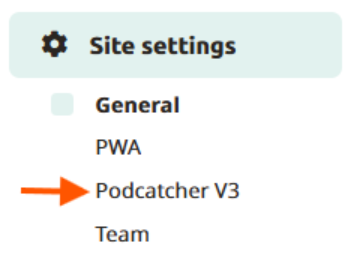
Here you will be able to adjust the volume, Alarm, Podcatcher settings and Autostart. Go to Site Settings and click on Podcatcher V3.
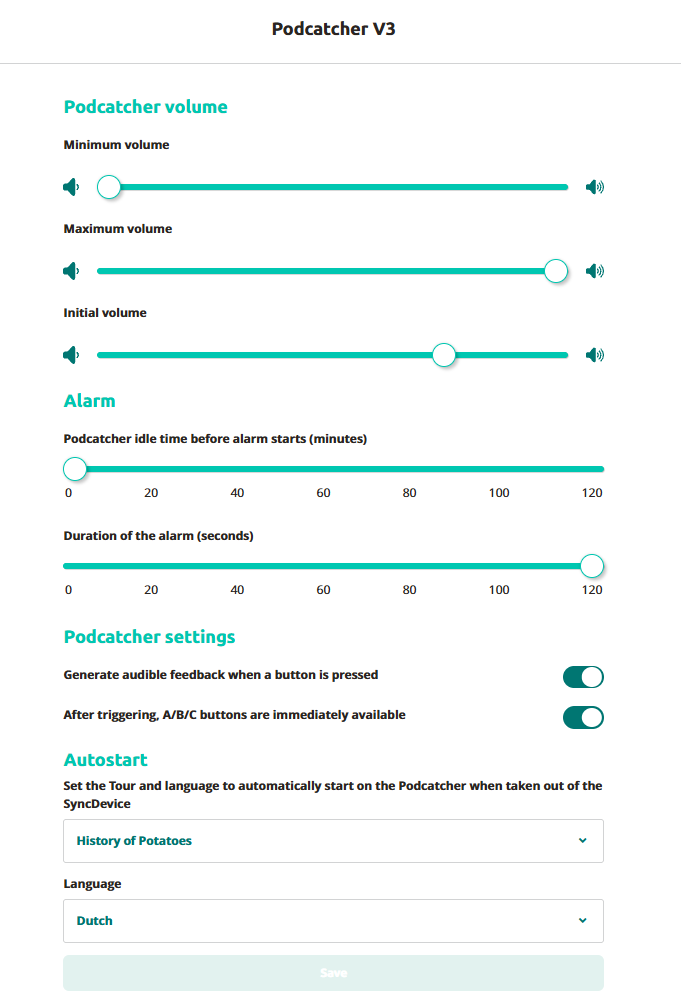
Podcather Volume
The toggle to the left represents the minimum volume, whereas the toggle to the right represents the maximum volume
- Minimum volume: Minimum volume that can be set by the visitor when they press the volume down button.
- Maximum volume: Maximum volume that can be set by the visitor.
- Initial volume: The Podcatcher’s initial volume when it is taken out of its dock
Alarm
The Podcatcher can sound a warning signal if it ‘thinks’ it’s being taken out of site. See this article for more information.
How long should the alarm last?
As of the 17th of April 2026, new customers will no longer be able to change the duration of the alarm. This stops when the podcatcher is returned to the docking station or when an IDentifier is triggered.
Customers before this date still have the abilty to change the duration of the alarm. Overtime this too will be changed.
Podcatcher settings
Generate audible feedback when a button is pressed: When this checkbox is checked, the Podcatcher will make an audible click noise when a button is pressed.
A/B/C buttons: When selecting the A/B/C buttons are available
Autostart
Automatically starts the tour on the Podcatcher when taken out of the Syncdevice.
Click on the dropdown menu to select the tour to automaticilly start
Select the language of your preference to automatically start the tour.
 English
  Nederlands
  Français