
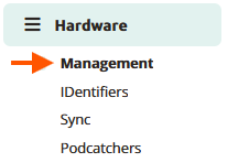
Hardware management gives you a quick overview of the Podcatcher-, Sync device- and tour status and can be accessed by clicking Management on the sidebar of the Platform.
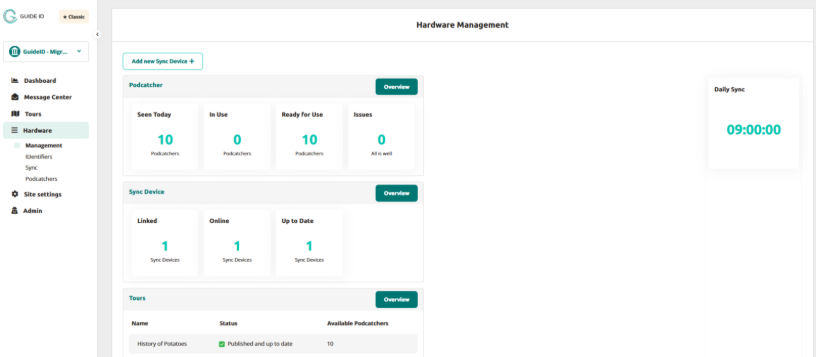
Within the hardware management page we see 4 sections: Podcatcher, Sync Device, Tours and Daily sync time.
Podcatcher
Within the Podcatcher section we can see several blocks of metrics:
Seen Today
This number shows the total Podcatchers seen today.
In Use
This number shows the total Podcatchers currently in use.
Ready for Use
This number is the amount of Podcatchers without issues currently docked in a Sync Device.
Issues
This number is the amount of Podcatchers which have issues.
Overview
If you click on the overview button, you’ll be redirected towards the Podcatcher overview page.
Sync Device
Within the Sync Device section, we can see several blocks of metrics:
Linked
Sync Devices which have been linked to your site.
Online
Sync Devices which have had contact with the platform.
Up to Date
Sync Devices which are up to date.
Overview
This redirects to the Sync Device overview page.
Tours
Within the Tours section we can see several metrics regarding your tours:
Name
This is the Tour name in the default language.
Status
This represents the current publish status.
Available Podcatchers
This represents on how many Podcatchers this tour can be found.
Overview
This navigates towards the Tour overview page.
Daily Sync
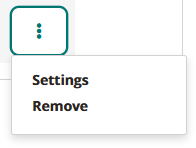
This represents the time the automated ‘Daily Sync’ takes place which is entered when adding the Sync device to the Platform and can be edited if prefered. Go to Hardware > Sync and click on the 3 dots in the Sync Device metric, click on settings and you’ll be able to edit the time to your preference.
 English
  Nederlands
  Français