
How Can We Help?
Transform Your Exhibition Ideas into Complete Audio Experiences
The AI Tour Generation feature in the Guide-ID platform allows you to rapidly create engaging audio tours with minimal effort. This powerful tool takes your basic exhibition information and transforms it into professional, ready-to-use audio stops with consistent narration and optional translations.
Prerequisites
Before starting, ensure you have:
- Active Guide-ID platform account with administrator privileges
- Basic exhibition information (titles, themes, key artifacts)
- Clear understanding of your target audience and tour objectives
- Approximately 5-10 minutes of time for initial setup (generation occurs in the background)
Step-by-Step Instructions
1. Initiate Tour Creation
- Log in to the Guide-ID platform
- Navigate to Tours > Create New Tour
- In the tour creation wizard, select AI-Generated Tour option
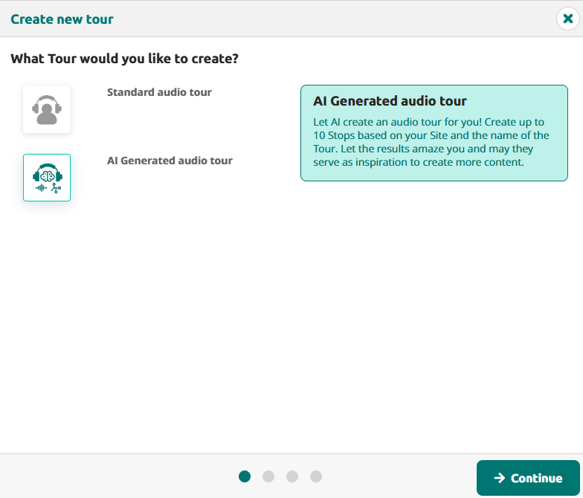
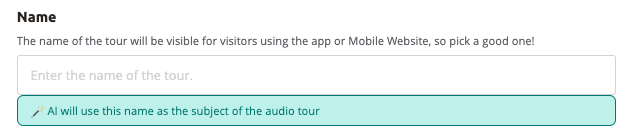
- Enter a descriptive title for your tour, it will be used as subject of the audio tour
- Select the number of stops (2-10)
- The Stop titles are immediately suggested. Change them to have a different theme/focus per stop
- Click “Create tour”
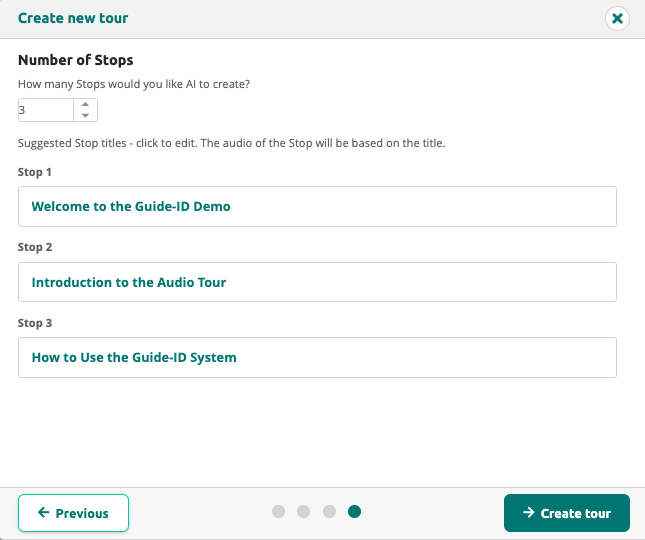
Tip: Choose titles that helps the AI understand what the focus of the tour should be
2. Review the created tour
- Stand by AI is pondering, it normally takes between 1-5 minutes to create the tour. when it is done the following is created
- A transcript per language
- With the help of randomly selected voices the audio is generated
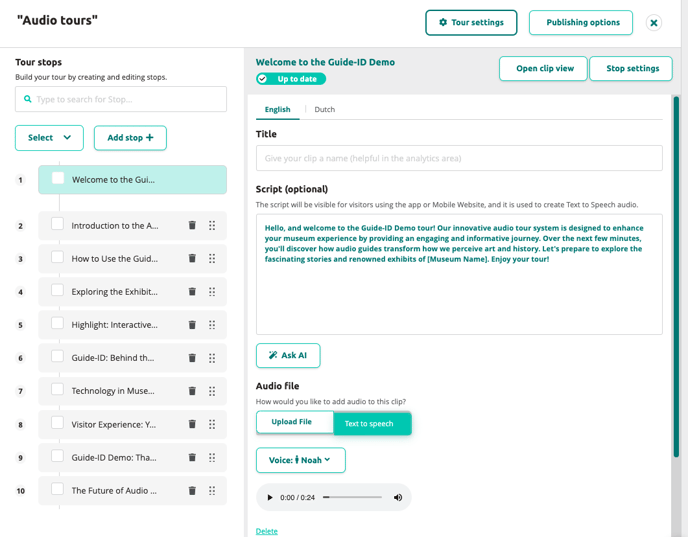
- For each individual stop, review
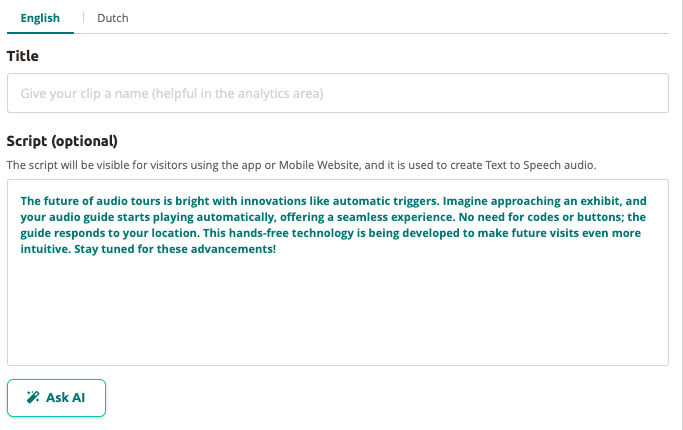
- Script: read the script and/or listen to the generated audio. Finetune the fragments where needed
- Voices: the voices are selected randomly,
- you can use “Ask AI” to change the tone of voice or create new translations.
- Next Steps
After creating your AI-generated tour, publish and sync it.
 English
  Nederlands
  Français