
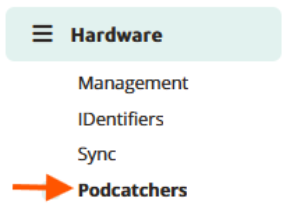
Vous pouvez accéder à cette page en suivant le chemin d'accès dans la barre latérale.
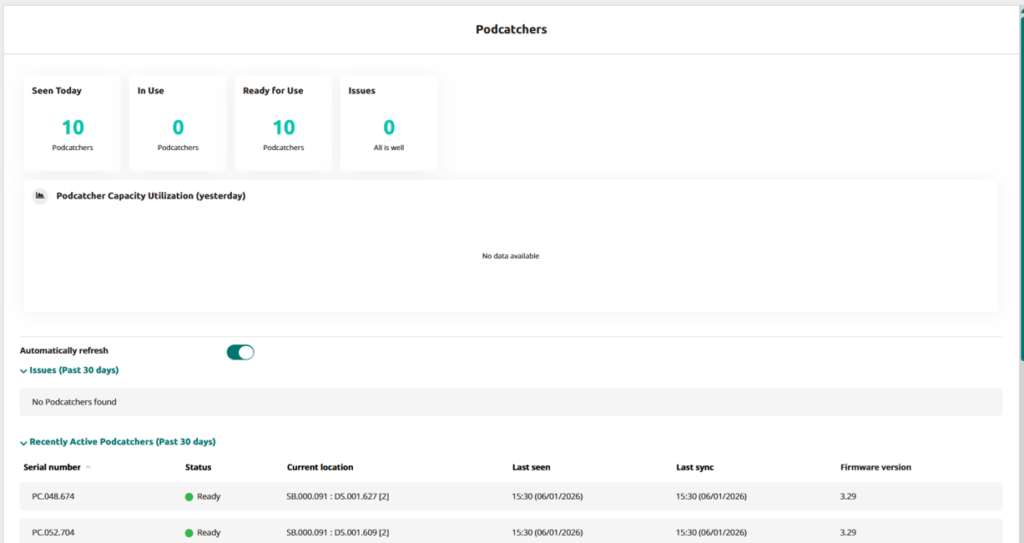
L'aperçu est divisé en deux sections principales :
Données sur le podcatcher
Cette section fournit un aperçu clair de l'état actuel de vos Podcatchers. Vous pouvez surveiller :
- Vu aujourd'hui: Podcatchers qui se sont connectés à un appareil de synchronisation lors d'une synchronisation aujourd'hui.
- En cours d'utilisation: Podcatchers reconnus aujourd'hui qui ont été retirés du dispositif de synchronisation et qui n'ont pas encore été renvoyés.
- Prêt à l'emploi: Podcatchers toujours dans le dispositif de synchronisation, disponibles pour une utilisation immédiate et sans problèmes ou erreurs temporaires.
- Enjeux: Podcatchers actuellement marqués d'un statut 'Erreur'.
Un graphique d'utilisation affiche l'activité de Podcatcher au cours de la journée précédente, mettant en évidence les pics d'utilisation et vous aidant à optimiser la disponibilité des appareils. Ces informations sont également disponibles dans Analytics, où vous pouvez sélectionner une date ou même visualiser une période plus longue.

Le fond vert clair représente la capacité : le nombre actuel de Podcatchers détectés sur le site. Il s'agit des Podcatchers qui ont été vus au cours des 14 derniers jours.
Le vert plus foncé indique le nombre de Podcatchers qui ont été utilisés par un visiteur. (Sur la base des données du journal de bord de la tournée).
En passant la souris sur le graphique, vous obtiendrez les chiffres exacts.
Lorsque l'utilisation atteint 80% ou plus de la capacité, un message ⚠️ s'affiche.
Liste de Podcatcher
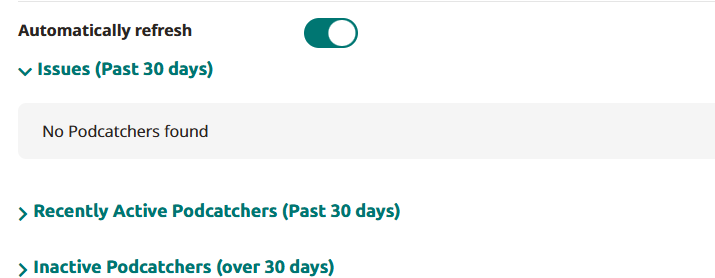
Cette liste comprend tous les Podcatchers assignés à votre emplacement, organisés en trois catégories :
- Problèmes (30 derniers jours) : Contient les Podcatchers qui ont le statut "Error" et qui ont été vus au cours des 30 derniers jours.
- Podcatchers récemment actifs (30 derniers jours) : Contient les Podcatcher qui n'ont pas le statut "Error" (donc avertissement ou Ready) et qui ont été vus au cours des 30 derniers jours.
- Podcatchers inactifs (plus de 30 jours) : Contient les Podcatchers qui n'ont pas été vus depuis plus de 30 jours. Il inclut tous les statuts ("Erreur", "Avertissement", "Prêt").

Pour chaque Podcatcher, les détails suivants sont fournis :
- Numéro de série : L'identifiant unique de chaque Podcatcher, visible ici à titre de référence uniquement.
- Statut: Indique l'état du Podcatcher lors de la dernière synchronisation.
- Prêt: L'appareil est disponible et prêt à recevoir des visiteurs.
- Avertissement: Le Podcatcher nécessite une nouvelle synchronisation ou la batterie est presque épuisée.
- Erreur: L'appareil ne fonctionne pas et doit être renvoyé. Cliquez sur "Erreur" pour obtenir les instructions de retour étape par étape.
- Situation actuelle: L'emplacement de l'appareil de synchronisation où l'appareil a été détecté le plus récemment.
Il indique le numéro de série du dispositif de synchronisation, le numéro de série de la station d'accueil et le numéro de l'emplacement (indiqué entre parenthèses). - Dernière visite: La date et l'heure de la dernière connexion du Podcatcher à un appareil de synchronisation.
- Dernière synchronisation: La mise à jour la plus récente lorsque du nouveau contenu a été chargé sur l'appareil.
 Français
  English
  Nederlands