
Comment pouvons-nous vous aider ?
Pour ajouter des membres d'équipe afin qu'ils puissent se connecter à la plateforme, il suffit d'aller dans les paramètres du site et de cliquer sur équipe.
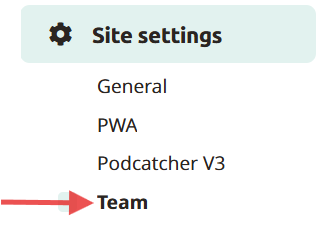
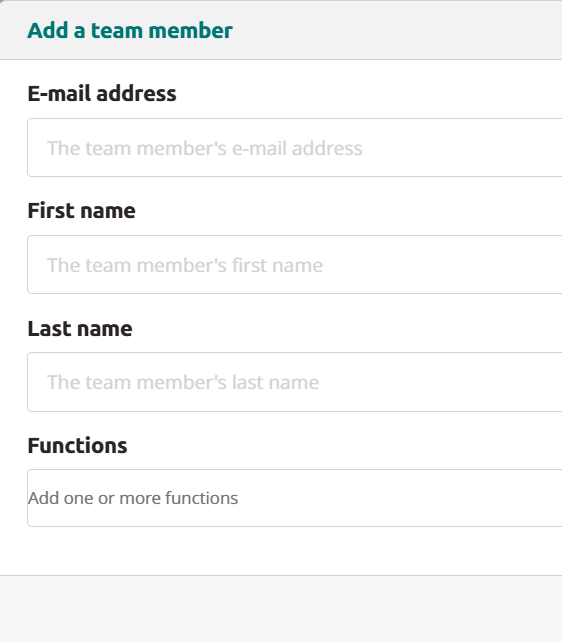
Ici, vous pouvez ajouter des membres à votre équipe en cliquant sur Ajouter un nouveau coéquipier. Indiquez leur adresse électronique, leur prénom et leur nom (la fonction est facultative) et cliquez sur enregistrer. Le membre de l'équipe recevra un e-mail. En cliquant sur le lien contenu dans l'e-mail, il pourra enregistrer son compte et se connecter à la plate-forme.
Modification ou suppression d'un compte
Pour modifier ou supprimer un compte, il suffit de cliquer sur l'icône de modification ou de suppression mentionnée sous les actions pour cette adresse électronique.
 Français
  English
  Nederlands